Back to blog
Small Business Ledger Organization Tips for 2026
Discover effective small business ledger organization tips for 2026. Streamline your bookkeeping to save time and maintain accurate records.


Discover effective small business ledger organization tips for 2026. Streamline your bookkeeping to save time and maintain accurate records.
TL;DR:
- Organized ledger management involves categorizing, recording, and reconciling financial transactions accurately. Using a dedicated bank account, a tailored chart of accounts, and automation tools improves bookkeeping efficiency. Regular weekly, monthly, and quarterly routines help small businesses maintain precise records and simplify tax time and audits.
Effective small business ledger organization is the process of systematically categorizing, recording, and reconciling your financial transactions to maintain accurate and actionable books. The general ledger, the formal accounting term for this master record, sits at the center of every tax filing, loan application, and business decision you make. IRS recordkeeping standards require businesses to keep detailed records of income, expenses, assets, and payroll. That requirement alone makes organized books a legal necessity, not just a best practice. These small business ledger organization tips will show you exactly how to build a system that holds up under scrutiny and saves you hours every month.
The right foundation determines how easy or painful your bookkeeping will be. Before you record a single transaction, two structural decisions matter most: your bank accounts and your chart of accounts.
Mixing personal and business funds is the single most common bookkeeping error small business owners make. It causes misclassification, messy data, and lost tax deductions. Open a dedicated business checking account and a business credit card before you do anything else. This one step makes every other part of ledger management dramatically cleaner. For a full walkthrough on why this matters, Taxbowl’s guide on separating business and personal finances covers the practical steps in detail.

A well-designed chart of accounts gives you meaningful financial insights rather than just organized but useless records. Without relevant categories, you fly blind even when your books look tidy. Structure your chart around five core account types: assets, liabilities, equity, income, and expenses. Then add subcategories that reflect how your specific business actually operates. A freelance designer needs different expense categories than a retail shop. Taxbowl’s chart of accounts setup guide walks through exactly how to tailor this for your industry.
The table below compares three common approaches to managing your general ledger:
| Method | Monthly Cost | Automation Level | Best For |
|---|---|---|---|
| Paper ledger | $0 | None | Very early stage, minimal transactions |
| Spreadsheets (e.g., Google Sheets, Excel) | $0–$15 | Low | Owners comfortable with manual entry |
| Cloud accounting software | $15–$100 | High | Growing businesses with regular transactions |
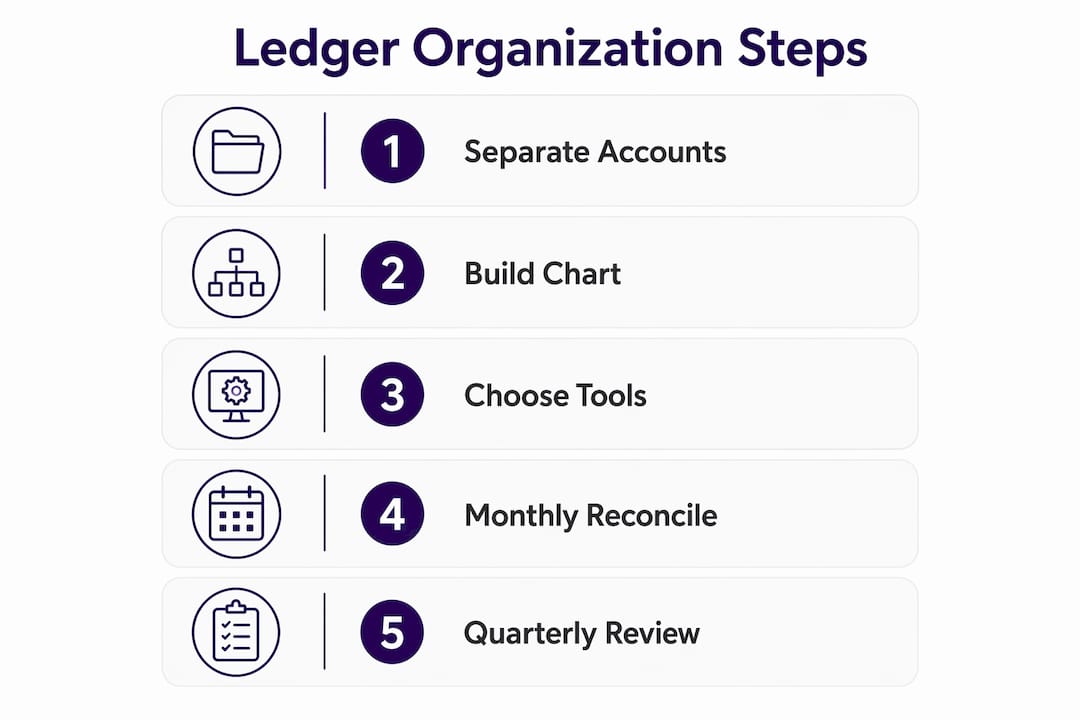
Cloud accounting software costs for small businesses generally range from $15 to $100 monthly, depending on features like invoicing, payroll, and multi-user access. That range reflects a real difference in capability. Entry-level plans handle basic income and expense tracking. Higher tiers add payroll integration, project tracking, and accountant access.
Cloud platforms also automate bank feeds, correctly categorizing 80–90% of transactions without manual input. That automation does not replace your judgment. It speeds up the process so you spend minutes reviewing rather than hours entering data.
Pro Tip: Connect your business bank account and credit card to your cloud accounting software on day one. The software will pull transactions automatically, and you will only need to review and confirm categories rather than type every entry by hand.
Consistency beats perfection in bookkeeping. A simple routine done every week beats a perfect system used once a quarter. Here is a schedule that keeps your ledger current without consuming your workday.
Reviewing auto-categorized transactions weekly takes about 15 minutes. Catching up after skipping two weeks can take hours and introduces errors. Set a recurring calendar block, Friday afternoon works well for most owners, and use it to:
Monthly reconciliation compares your ledger against your bank and credit card statements to confirm every transaction is accounted for. This step catches outstanding checks, deposits in transit, bank fees, and outright errors. Reconciliation is the single most reliable way to confirm your books reflect reality. Run it within the first week of each new month while the prior month is still fresh.
Double-entry bookkeeping records each transaction as equal debits and credits across accounts, which makes reconciliation far more accurate. If your debits and credits do not balance, you know immediately that something is wrong.
An evolving chart of accounts reviewed quarterly prevents category bloat and keeps your financial reports meaningful. Add new categories when your business adds new revenue streams. Remove or merge categories that no longer reflect real activity. This quarterly check takes 20–30 minutes and pays off every time you pull a profit and loss report.
Pro Tip: Set four calendar reminders right now for the first Monday of each quarter. Label them “Chart of Accounts Review.” Treat them like a tax deadline. Skipping this step is how ledgers become cluttered and reports become unreliable.
Most bookkeeping problems are predictable. The same errors show up repeatedly across small businesses, and all of them are preventable with the right habits.
The real cost of falling behind: Skipping two weeks of bookkeeping multiplies your workload from 15 minutes per week to multiple hours of error-prone catch-up. Small business owners consistently underestimate how fast a backlog compounds. One missed week feels manageable. Two months of missed entries can take a full weekend to untangle, and the resulting errors often require a CPA to fix.
Use this checklist monthly to catch problems before they grow:
The financial records every small business needs go beyond just your ledger. Payroll records, contracts, and asset documentation all feed into a complete picture. Make sure your filing system covers all of them.
A well-organized ledger makes tax season a process, not a crisis. The work you do every week throughout the year translates directly into faster filing and fewer surprises.
IRS requirements in 2026 mandate that businesses keep detailed records of income, expenses, assets, and payroll to support tax filings. Employment tax records must be kept for at least four years. The 2026 updates also require separate tracking of qualified tips and overtime pay, which adds a layer of payroll complexity for businesses with hourly staff.
Digital recordkeeping is the IRS-preferred format because it facilitates easier audits, reduces the risk of loss, and speeds reconciliation. Paper records are still accepted, but they are harder to share with your accountant and easier to lose or damage.
| Record Type | Minimum Retention | Recommended Format |
|---|---|---|
| Income records (invoices, receipts) | 3 years | Digital, cloud-backed |
| Expense records (receipts, bills) | 3 years | Digital, cloud-backed |
| Employment tax records | 4 years | Digital, cloud-backed |
| Asset purchase records | Life of asset + 3 years | Digital, cloud-backed |
| Payroll records (wages, withholdings) | 4 years | Digital, cloud-backed |
Group deduction documentation by category throughout the year, not just in april. Create folders, either digital or physical, for categories like vehicle mileage, home office, professional development, and equipment. When your CPA asks for backup on a deduction, you hand it over in minutes rather than searching through a shoebox. Clean books directly improve tax outcomes because your accountant spends less time reconstructing records and more time finding legitimate savings.
Payroll accounting entries involve multiple layers: gross wages, tax withholdings, employer tax liabilities, and net pay. Each layer needs its own ledger entry to produce accurate expense reporting and IRS compliance. If your payroll entries are incomplete, your profit and loss statement will be wrong, and your tax return will follow.
Pro Tip: Create a “Tax Ready” folder in your cloud storage at the start of each year. Drop every major document into it as you go: contractor W-9s, large equipment receipts, mileage logs. By december, your folder is already organized.
Consistent ledger habits built around separation, automation, and monthly reconciliation are the most reliable path to accurate books and stress-free tax filing.
| Point | Details |
|---|---|
| Separate accounts first | Open a dedicated business bank account and credit card before recording any transactions. |
| Automate where possible | Cloud accounting software categorizes 80–90% of transactions automatically, cutting manual entry time. |
| Reconcile every month | Monthly reconciliation catches errors, fraud, and missed transactions before they compound. |
| Review your chart of accounts quarterly | Quarterly updates keep categories relevant and financial reports meaningful. |
| Meet IRS retention minimums | Keep income and expense records for at least 3 years; employment tax records for at least 4 years. |
The owners who struggle most with ledger organization are not the ones who lack discipline. They are the ones who wait until they have a “real” system before they start. They spend weeks researching the perfect accounting software while transactions pile up uncategorized. By the time they pick a tool, they have a two-month backlog and a chart of accounts that does not match how their business actually works.
The owners who get it right start simple and adjust as they go. They open a business checking account on day one. They pick any reputable cloud accounting platform and connect their bank feed. They spend 15 minutes every Friday reviewing transactions. That is the whole system at the start. It is not glamorous, but it works.
The automation question trips people up too. Cloud software is genuinely good at categorizing routine transactions, but it makes confident mistakes on unusual ones. A software subscription might get filed under “office supplies.” A client reimbursement might look like income. You cannot set it and forget it. The weekly review exists precisely to catch what the algorithm gets wrong.
The chart of accounts is where I see the most long-term damage. Owners set it up once, never touch it again, and end up with 40 expense categories where 12 would do. Reports become unreadable. Tax prep becomes a guessing game. Reviewing your chart of accounts every quarter is not optional maintenance. It is how you keep your financial reports telling you something useful.
One more thing: do not wait until your business grows to get professional help. The cost of outsourced bookkeeping is almost always less than the cost of fixing a year of messy books. And the time you get back is time you can spend on the work that actually grows your business.
— Taxbowl
Running a business leaves little time for weekly reconciliations and quarterly chart of accounts reviews. Taxbowl’s dedicated team of accountants handles your bookkeeping in real time, so your ledger stays current without you spending a Friday afternoon on it.
Taxbowl gives you real-time financial visibility, proactive communication through platforms like Slack, and books that are IRS-ready every single month. Whether you need full-service bookkeeping for your small business or want to talk through your specific situation first, Taxbowl’s team is ready to help. Connect with a Taxbowl expert today and get your ledger working for you instead of against you.
A general ledger is the master record of all financial transactions in your business, organized by account type: assets, liabilities, equity, income, and expenses. Every invoice, payment, and payroll entry flows into it.
Monthly reconciliation is the standard best practice. Comparing your ledger against bank and credit card statements each month catches errors, missed transactions, and potential fraud before they compound.
The IRS requires businesses to keep income and expense records for at least three years and employment tax records for at least four years. The 2026 updates also require separate tracking of qualified tips and overtime pay.
Mixing personal and business funds is the most damaging error. It causes misclassification, distorts financial reports, and creates audit risk that a dedicated business bank account eliminates entirely.
Spreadsheets work for very early-stage businesses with minimal transactions. Once you have regular income and expenses, cloud accounting software pays for itself in time saved, since it automates 80–90% of transaction categorization automatically.