Back to blog
Chart of Accounts Small Business Setup: 2026 Guide
Master your finances with our 2026 guide on chart of accounts small business setup. Learn to streamline bookkeeping and boost accuracy!

Master your finances with our 2026 guide on chart of accounts small business setup. Learn to streamline bookkeeping and boost accuracy!
A chart of accounts is the foundational index of every financial account your small business uses to record transactions, organized into five core categories: Assets, Liabilities, Equity, Revenue, and Expenses. Think of it as the master list that gives every dollar a home. Without it, your bookkeeping is guesswork and your tax filing is a scramble. A proper chart of accounts small business setup is what separates owners who know their numbers from those who find out too late. This guide walks you through the structure, setup steps, common mistakes, and maintenance practices that keep your accounting system working for you year after year.
The backbone of any solid accounting system setup is a logical numbering structure. The standard system assigns 4-digit account numbers across six major ranges, each tied to a specific category of financial data. This structure makes sorting, filtering, and reporting far easier inside any accounting software.
Here is how the standard ranges break down:
| Account Range | Category | Examples |
|---|---|---|
| 1000s | Assets | Checking account, accounts receivable, equipment |
| 2000s | Liabilities | Credit cards, loans payable, sales tax payable |
| 3000s | Equity | Owner’s capital, retained earnings, owner’s draws |
| 4000s | Revenue | Sales income, service revenue, consulting fees |
| 5000s | Cost of Goods Sold | Materials, direct labor, freight |
| 6000s–8000s | Operating Expenses | Rent, utilities, insurance, advertising |
This structure is not arbitrary. It mirrors the order of a standard balance sheet and income statement, so your financial reports are readable at a glance.

Number your accounts with gaps between each entry rather than sequentially. Use 1010, 1020, and 1030 instead of 1001, 1002, and 1003. That spacing lets you insert new accounts later without renumbering everything. Renumbering is not just tedious. It breaks historical report comparisons and creates confusion for your bookkeeper or CPA. A small business that opens a second checking account six months in can simply add account 1015 without touching anything else.
Pro Tip: Label your checking account 1010 and your savings account 1020 right from the start. Leave 1011 through 1019 open for future bank accounts or petty cash.
The numbering system also controls how accounts sort inside tools like QuickBooks and Xero. Assets always appear before liabilities, revenue before expenses. That automatic ordering saves time every time you pull a report.
A clean chart of accounts guide starts before you open any software. The sequence matters. Skipping steps early creates cleanup work later.
Open a dedicated business bank account. Separating personal and business finances is the single most important prerequisite. It simplifies tax prep, provides legal protection, and gives you a clean transaction record from day one. Every expense and deposit flows through one place.
Map your revenue streams. List every way your business earns money. A freelance designer might have three: project fees, retainer contracts, and stock asset sales. Each one deserves its own revenue account in the 4000s range. Lumping them together hides which service line is actually profitable.
Identify your major expense categories. Think through your recurring costs: rent, software subscriptions, payroll, advertising, insurance, supplies. Write them out before touching any software. This prevents the common mistake of building accounts reactively and ending up with a disorganized list.
Align expense accounts with Schedule C line items. For sole proprietors and single-member LLCs, expense accounts should mirror Schedule C categories directly. Line 8 is advertising, Line 11 is contract labor, Line 15 is insurance, Line 20 is rent, and Line 22 is supplies. When your accounts match these lines, tax filing takes hours instead of days.
Add your balance sheet accounts. Set up your asset accounts (checking, savings, accounts receivable), liability accounts (business credit card, any loans), and equity accounts (owner’s capital contributions and owner’s draws). These form the foundation of your balance sheet.
Customize your software’s default template. QuickBooks and Xero both load a default chart of accounts when you create a new company file. Those defaults typically include 70–80 accounts. Most small businesses only need 30–40. Delete what does not apply to your business and add the industry-specific accounts you actually use.
Start minimal and add accounts deliberately. Resist the urge to build every possible account upfront. Start with the accounts you need today. Add new ones only when a real transaction requires a distinct category. This keeps your list clean and your bookkeeping fast.
Pro Tip: Before you delete any default account in QuickBooks or Xero, check whether it has a linked transaction. Deleting an account with history attached will cause reporting errors. Merge or make it inactive instead.
The design of your COA should reflect your actual reporting needs, including what your CPA needs at tax time and what you need to manage cash flow month to month. Build it around those two audiences and you will rarely need to overhaul it.
A poorly built chart of accounts creates problems that compound over time. These are the most common errors small business owners make, and what each one actually costs you.
Too many accounts. More accounts do not mean more clarity. They mean more decisions every time you categorize a transaction. A bookkeeper who has to choose between 12 expense accounts for a single office supply purchase will make inconsistent choices. Inconsistency breaks your financial reports.
Catch-all accounts like “Miscellaneous” or “General Expenses.” Generic catch-all accounts hide deductible expenses and complicate audits. If the IRS questions a deduction, you need a specific account with a clear purpose. “Miscellaneous” tells an auditor nothing. It also tells you nothing when you are trying to cut costs.
Mixing personal and business finances. Running personal expenses through your business account is one of the fastest ways to lose legal protection and create a tax nightmare. Your CPA will spend billable hours sorting personal from business, and you will pay for it.
Duplicate or overlapping accounts. “Office Supplies” and “Office Expenses” sound different but often capture the same transactions. Overlapping accounts split your data and make totals meaningless. Pick one name, define it clearly, and stick to it.
Ignoring your COA after setup. A chart of accounts built in January for a business that looks completely different by December is a liability. Accounts that no longer match your activity create clutter and confusion.
Overcomplicated account names. Long, technical names slow down data entry and confuse anyone who is not you. “Professional Development and Training Expenses for Staff” should just be “Training.”
Pro Tip: Ask your CPA to review your chart of accounts before your first full tax year ends. A 30-minute review now can save hours of cleanup at tax time and catch misaligned accounts before they create reporting problems.
The impact of a messy COA goes beyond inconvenience. Accurate bookkeeping with a solid chart of accounts directly reduces your accounting costs. When your records are clean, your CPA spends less time reconstructing transactions and more time on actual tax strategy.
Your business changes. Your chart of accounts needs to keep up. A financial account organization that fit a solo freelancer will not serve a five-person agency with multiple service lines and contractors.
Here is how to keep your COA current without creating chaos:
Review quarterly, not just annually. A quarterly or annual COA review is the recommended practice. Quarterly reviews catch problems early. If you added a new revenue stream in March, you want the right account in place by April, not discovered in January during tax prep.
Add accounts strategically using your numbering gaps. When a new expense category appears, slot it into the gap you left in your numbering system. A new software subscription service fits cleanly at 6045 if 6040 and 6050 already exist. No renumbering required.
Use subaccounts for detail without clutter. If you have multiple locations or projects, use subaccounts inside your main accounts rather than creating entirely new top-level accounts. QuickBooks and Xero both support parent-child account structures. Your main “Advertising” account stays at 6010, and subaccounts like 6010.1 (Google Ads) and 6010.2 (Social Media) sit underneath it.
Use classes and tags for project-level tracking. Classes in QuickBooks and tracking categories in Xero let you segment transactions by project, department, or client without multiplying your account list. This is the right tool for granular analysis. Your COA stays clean while your reports stay detailed.
Connect bank feeds to the right accounts. Automation only works when bank feeds are mapped to the correct accounts. Review your bank feed rules every quarter to confirm transactions are still landing in the right place, especially after you add or rename accounts.
| Maintenance Task | Frequency | Why It Matters |
|---|---|---|
| Full COA review | Quarterly | Catches misaligned or unused accounts early |
| Bank feed rule audit | Quarterly | Prevents miscategorized transactions from accumulating |
| New account additions | As needed | Keeps pace with business growth and new activity |
| Inactive account cleanup | Annually | Reduces clutter and speeds up bookkeeping |
| CPA alignment check | Annually (before tax season) | Confirms accounts match current tax form requirements |
The COA is the core translation layer between your daily business operations and your financial reports. Keep it aligned to both your management needs and your tax reporting requirements, and it will serve you for years without a major overhaul.
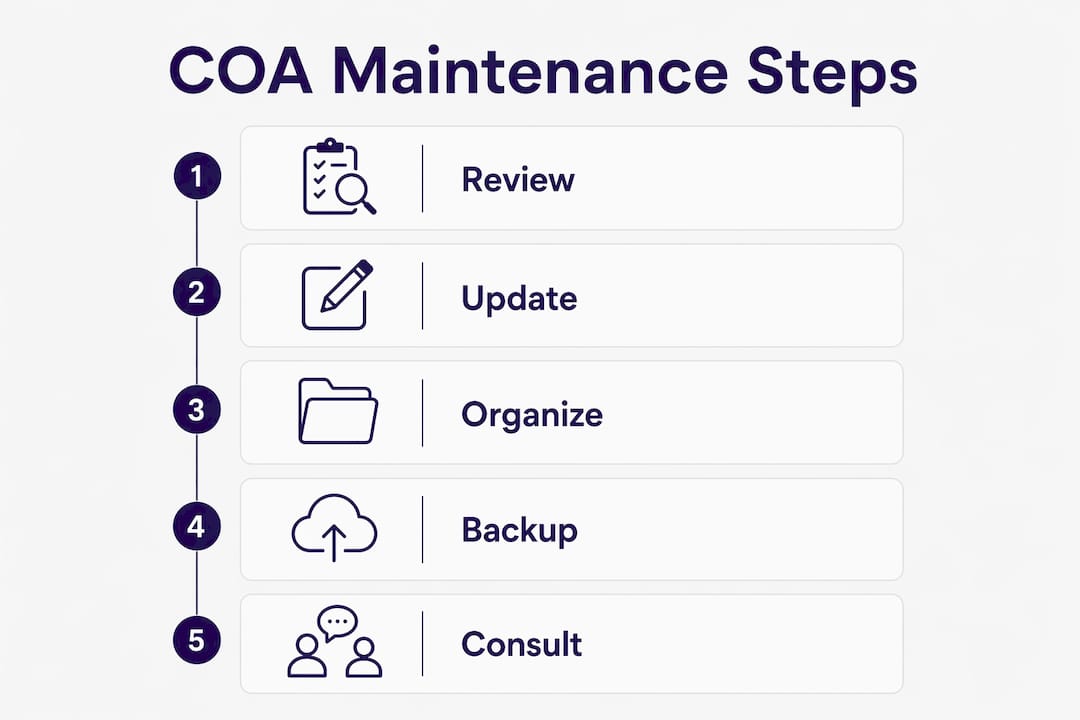
A well-structured chart of accounts, built around standard numbering, tax-aligned expense categories, and regular maintenance, is the foundation of accurate small business accounting.
| Point | Details |
|---|---|
| Use standard 4-digit numbering | Assign ranges by category (1000s–8000s) and leave gaps for future accounts. |
| Align accounts with Schedule C | Match expense accounts to tax form line items to simplify filing. |
| Start minimal, add deliberately | Begin with 30–40 accounts and expand only when a real transaction requires it. |
| Avoid catch-all accounts | Specific accounts protect deductions and create a clear audit trail. |
| Review and maintain regularly | Quarterly reviews keep your COA accurate as your business evolves. |
Most small business owners treat the chart of accounts as a technical checkbox. Set it up once, forget it, and let the software handle the rest. That approach is exactly why so many owners arrive at tax season with a financial mess they cannot explain.
I have seen businesses with 150 accounts in their QuickBooks file when they needed 35. Every transaction became a guessing game. The bookkeeper made inconsistent choices, the reports were unreliable, and the CPA charged extra hours just to make sense of the data. The COA was not a tool. It was an obstacle.
The distinction between bookkeeping and accounting is worth understanding here. Bookkeeping is the daily recording of transactions using your chart of accounts. Accounting is the interpretation of that data. A clean COA makes bookkeeping faster and more consistent, which makes accounting cheaper and more useful. The two are connected, and the COA is the link between them.
The owners who get the most value from their financial data are not the ones with the most sophisticated software. They are the ones who took the time to build a COA that reflects how their business actually operates. They know which service line drives profit. They know which expense category is creeping up. They can answer a banker’s question or a CPA’s question in minutes, not days.
Getting your COA right at the start is not an accounting task. It is a business decision. The effort you put in during setup pays back every month in cleaner books, faster closes, and better decisions.
— Taxbowl
Setting up your chart of accounts correctly from the start is one of the highest-leverage things you can do for your business finances. But it is also one of the easiest things to get wrong without expert guidance.
Taxbowl’s bookkeeping services are built specifically for small businesses that need accurate, tax-aligned financial systems without the overhead of a full-time accountant. The Taxbowl team customizes your chart of accounts to match your revenue streams, expense categories, and tax reporting requirements from day one. You get real-time financial visibility, proactive communication, and a dedicated team that keeps your books clean month after month. If you are ready to build a financial foundation that actually supports your growth, talk to the Taxbowl team and get started.
A chart of accounts is the master list of all financial accounts your business uses to record transactions, organized into categories like Assets, Liabilities, Equity, Revenue, and Expenses. Every bookkeeping entry references an account from this list.
Most small businesses need between 30 and 40 accounts for clear, tax-aligned reporting. Accounting software defaults often load 70–80 accounts, but the extras add confusion without adding value.
Yes. Aligning expense accounts with Schedule C line items (advertising, insurance, rent, supplies, contract labor) makes tax filing significantly faster and reduces the risk of missed deductions.
A quarterly review is the recommended practice. This catches unused accounts, identifies missing categories, and keeps your COA aligned with how your business currently operates.
You can, but you should not. Default templates include accounts most small businesses will never use and often miss industry-specific categories you need. Customizing the default to remove unused accounts and add relevant ones is a critical step in any accounting system setup.