Back to blog
Cloud Accounting Explained: What Small Business Owners Need to Know
Discover what is cloud accounting and how it empowers small business owners with secure, remote access to real-time financial data anytime, anywhere.


Discover what is cloud accounting and how it empowers small business owners with secure, remote access to real-time financial data anytime, anywhere.
Cloud accounting is accounting software hosted on secure remote servers and accessed through the internet, rather than installed on a single computer. Your financial data lives online, not on a hard drive in your office. That means you can log in from your laptop at home, your phone at a client site, or a browser at a coffee shop and see the exact same up-to-date numbers every time.
The shift matters because traditional desktop software kept your books locked to one machine. Cloud accounting breaks that constraint entirely. Multiple people can work in the same file simultaneously, transactions sync automatically from your bank, and your provider handles backups and updates without you lifting a finger.
Here is what cloud accounting typically includes:
The IRS recognizes electronic accounting records as acceptable for tax purposes, which removes one of the last hesitations small business owners had about going fully digital.
The mechanics are simpler than they sound. When you sign up for a cloud accounting platform, your financial data moves to the provider’s servers. You access everything through a web browser or mobile app. No installation. No local database to manage.
The real power is in the automation layer. Connect your business bank account and transactions import automatically, categorized by the software based on rules you set. Invoices go out, payments come in, and your books update in real time. You are not waiting until month-end to know where you stand.

Multi-user access works through permission controls. You can give your bookkeeper full edit access, your accountant read-only access to reports, and a department manager visibility into just their budget. Everyone sees live data. Nobody emails a spreadsheet back and forth wondering which version is current.
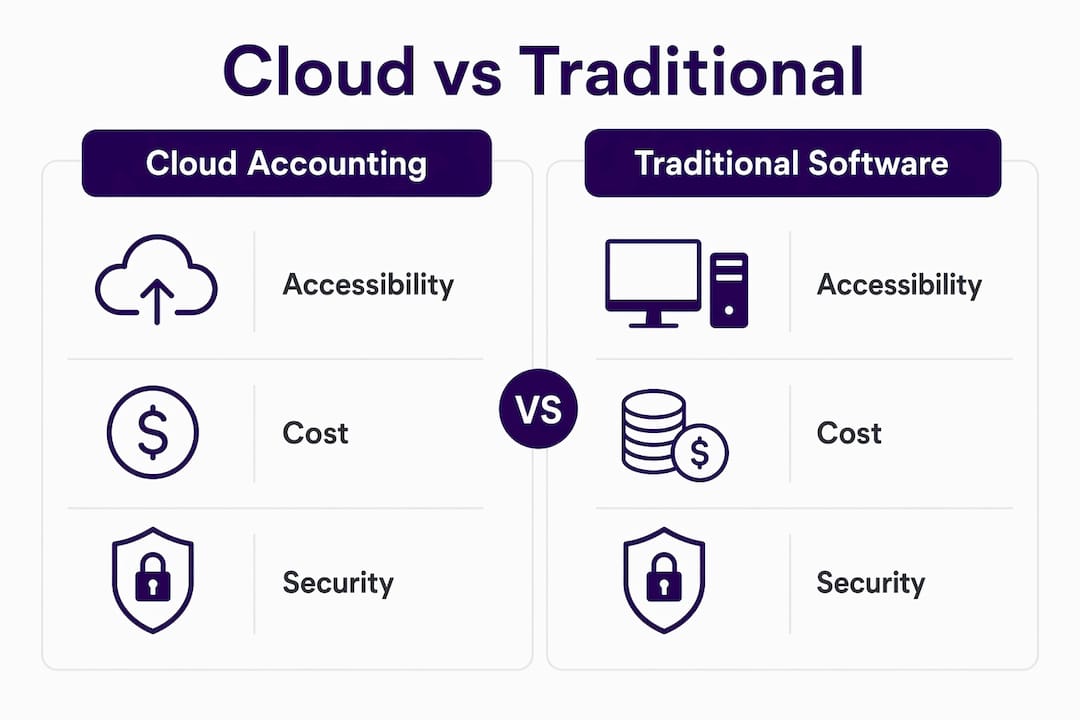
The subscription model is a meaningful change from the old way. Instead of paying $1,000–$10,000 upfront for a desktop license, you pay a monthly or annual fee that typically covers software updates, customer support, data storage, and security. Predictable costs, no surprise upgrade bills.
Pro Tip: Before migrating to a cloud platform, clean up your existing records. Moving to the cloud often surfaces data inconsistencies that have been buried in spreadsheets for years. Fixing them now saves hours of reconciliation later.
The differences go beyond where your data lives. Accessibility, cost structure, collaboration, and security all work differently between the two models.
| Factor | Cloud Accounting | Traditional Desktop Software |
|---|---|---|
| Accessibility | Any device, any location, 24/7 | Tied to the specific computer where it is installed |
| Collaboration | Simultaneous multi-user access with permission controls | Usually one user at a time; file sharing causes version conflicts |
| Cost structure | Monthly or annual subscription; low upfront cost | High upfront license fee plus IT support and hardware costs |
| Updates | Automatic, handled by the provider | Manual updates, often delayed or skipped |
| Data backup | Automatic, with redundancy across multiple locations | Relies on in-house backups; high risk if hardware fails |
| Security | Enterprise-grade encryption managed by the provider | Managed internally; vulnerable to theft, hardware failure, or human error |
| Remote work | Built for it | Requires workarounds like VPNs or remote desktop tools |

The cost comparison deserves a closer look. Desktop software often looks cheaper upfront, but add in annual renewal fees, IT support, hardware replacement, and the time your team spends on manual updates and backups. Cloud accounting converts those unpredictable capital expenses into a fixed operating cost, which makes budgeting far easier for a small business.
Security is another area where the cloud often wins. Cloud providers invest in AES-256 encryption, multi-factor authentication, and 24/7 monitoring. A local desktop setup, by contrast, is only as secure as your office’s physical security and your team’s backup habits.
The advantages of cloud accounting compound quickly once you are set up. Here is what business owners consistently gain:
The majority of accounting firms that have adopted cloud technology report improved profitability, driven primarily by automation of bank reconciliations and invoice management. The time freed from routine tasks goes directly toward higher-value work.
Cloud accounting also shifts accounting from a compliance exercise into a daily management tool. When you can see cash flow, accounts receivable, and profit figures at any moment, you stop using your books just to file taxes. You start using them to run your business.
Most cloud accounting platforms cover the full range of financial management tasks a small business needs. The core feature set typically looks like this:
Cloud accounting automates tasks including bank reconciliation, invoice generation, expense categorization, payroll processing, and compliance management. That breadth of automation is what separates cloud platforms from basic spreadsheet-based bookkeeping.
Pricing varies by platform and the number of users, but the structure is consistent: a monthly or annual subscription fee rather than a one-time purchase.
Subscription pricing usually bundles software updates, customer support, storage, and security into the monthly fee. That is a meaningful difference from desktop software, where each of those items often carries a separate cost.
Watch for potential add-ons. Some platforms charge extra for payroll modules, additional users beyond a base limit, or premium phone support. Read the pricing page carefully before committing.
The financial case for cloud accounting goes beyond the subscription fee itself. When automation handles bank reconciliation and invoice tracking, you spend fewer hours on bookkeeping or pay less for outside bookkeeping help. For many small businesses, those savings offset the monthly cost entirely.
Pro Tip: Annual billing almost always costs less than month-to-month. If you are confident in a platform after a trial period, switching to annual billing is one of the easiest ways to cut your software costs.
Cloud accounting is not standing still. Several trends are already reshaping what these platforms can do:
The direction is clear: cloud accounting platforms are becoming the financial operating system for small businesses, not just a place to store transaction records.
The operational impact of cloud accounting goes deeper than convenience. It changes how business owners relate to their own financial data.
Traditional accounting software treated financial records as a periodic snapshot. You entered data in batches, ran reports at month-end, and found out how your business performed weeks after the fact. Cloud accounting makes financial data continuous and current. You know your cash position today, not last month.
“The ability to access and view updates about your finances through the internet in real-time is arguably the single greatest advancement to Small to Medium Enterprises. Business leaders now make decisions based on up-to-date information and can quickly respond to changing market conditions.”
Source: Cloud Accounting as a Catalyst for Digital Transformation in Small Enterprises
That shift in timing changes behavior. When you can see accounts receivable aging in real time, you follow up on late invoices faster. When cash flow is visible daily, you make smarter decisions about hiring, purchasing, and growth. Accounting stops being a tax compliance task and becomes a daily management tool, as the Xero US Small Business Guide notes.
Cloud accounting also requires a mindset shift. Getting the full benefit means moving to continuous accounting rather than waiting for period-end closes. That adjustment takes some getting used to, but the businesses that make it gain a real edge in financial clarity and speed.
For small businesses specifically, the gateway effect is worth understanding. Once cloud accounting is in place, integrating other digital tools becomes much easier. Your accounting platform connects to your payroll provider, your payment processor, and your project management software. Financial data flows automatically, and your whole operation becomes more connected. Research on SME digital transformation consistently finds that cloud accounting is the most common first step in a broader shift to digital operations.
Cloud accounting software gives you the tools. Taxbowl gives you the team to use them well.
Small business owners who switch to cloud-based books often find that the software handles the data, but the interpretation still takes time and expertise they do not have. Taxbowl pairs you with a dedicated team of accountants who work inside your cloud accounting setup, handle your bookkeeping in real time, and communicate with you directly through Slack so you never wait days for an answer. You get clean, accurate books, proactive tax planning, and a team that flags issues before they become problems. No long-term contracts, no opaque billing, and no wondering whether your numbers are right. If you are ready to stop managing spreadsheets and start managing your business, talk to the Taxbowl team today.
Cloud accounting hosts your financial data on secure remote servers, giving you real-time access, automated bookkeeping, and multi-user collaboration that traditional desktop software cannot match.
| Point | Details |
|---|---|
| Cloud accounting definition | Financial data lives on secure remote servers, accessed via browser or app from any device. |
| Automation advantage | Bank feeds, reconciliation, invoicing, and payroll run automatically, cutting manual bookkeeping hours. |
| Cost model | Subscription pricing replaces large upfront license fees and bundles updates, support, and storage. |
| Security and backup | Providers manage enterprise-grade encryption and automatic backups, reducing data loss risk versus local setups. |
| Taxbowl’s role | Taxbowl pairs dedicated accountants with your cloud accounting setup for real-time bookkeeping and proactive financial support. |
Cloud accounting is software that hosts your financial data on secure remote servers and delivers access through a browser or app, rather than a program installed on a single computer. It enables real-time access, automation, and multi-user collaboration from any internet-connected device.
Traditional accounting software installs on one machine and stores data locally, limiting access and requiring manual updates and backups. Cloud accounting gives authorized users access from any device, updates automatically, and backs up data continuously without any action on your part.
Yes. Cloud accounting providers typically use AES-256 encryption, multi-factor authentication, and 24/7 monitoring, making them generally more secure than a local desktop setup that depends on your own hardware and backup habits.
The IRS accepts electronic accounting records, including those maintained in cloud-based software, as long as they meet standard recordkeeping requirements for completeness and accuracy.
Pricing depends on the platform and plan, but most small business options follow a monthly or annual subscription model that includes updates, support, and storage. Entry-level plans cover basic needs, while mid-tier and advanced plans add payroll, multi-user access, and deeper reporting.