Back to blog
Real-Time Bookkeeping Explained for Small Business Owners
Discover how real-time bookkeeping explained transforms small business finances. Gain immediate insights and streamline your accounting today!

Discover how real-time bookkeeping explained transforms small business finances. Gain immediate insights and streamline your accounting today!
Real-time bookkeeping is defined as the continuous recording and updating of financial transactions as they occur, giving business owners an accurate picture of their finances at any moment. Unlike traditional bookkeeping, which batches transactions weekly or monthly, this approach uses automated bank feeds, OCR software, and cloud dashboards to keep your books current within hours. Tools like QuickBooks Online, Xero, and Dext connect directly to your bank accounts and payment processors, pulling in data without manual entry. The result is near-instant financial visibility that turns bookkeeping from a backward-looking chore into a forward-looking management tool.
Real-time bookkeeping, known in accounting circles as continuous accounting, operates through a connected stack of software and workflows that process financial data the moment it enters your business. The core components are continuous bank feeds, payment gateway integrations, and OCR for capturing bills and receipts. Each piece plays a specific role: bank feeds pull transaction data from your checking and savings accounts, payment gateways like Stripe or Square push sales data directly into your accounting platform, and OCR tools scan and extract data from paper or PDF invoices.
Once data enters the system, automation rules categorize transactions based on vendor name, amount, or account type. A payment to your landlord gets coded to rent expense automatically. A deposit from a client gets matched to the open invoice. These rules reduce manual work significantly, but they are not perfect. Human review of exceptions, meaning transactions the system could not categorize confidently, remains a daily or weekly task for your bookkeeper.

Dashboard metrics like revenue, burn rate, and runway refresh daily or hourly, giving you a live view of your financial position. This is where the real value shows up. Instead of waiting until the 15th of next month to know how last month went, you can see your cash balance, outstanding invoices, and upcoming bills right now.
| Workflow step | Traditional bookkeeping | Real-time bookkeeping |
|---|---|---|
| Transaction recording | Manual entry, weekly or monthly | Automated feeds, same day |
| Bank reconciliation | Monthly batch | Daily or continuous |
| Financial reporting | End of month or quarter | Live dashboard, updated hourly |
| Error detection | Discovered at month-end close | Flagged within 24 to 48 hours |
| Tax readiness | Scramble at year-end | Continuously audit-ready |
Pro Tip: Set up automation rules for your top 20 recurring vendors on day one. Covering your most frequent transactions with rules means the exception queue stays short and your bookkeeper spends time on judgment calls, not data entry.
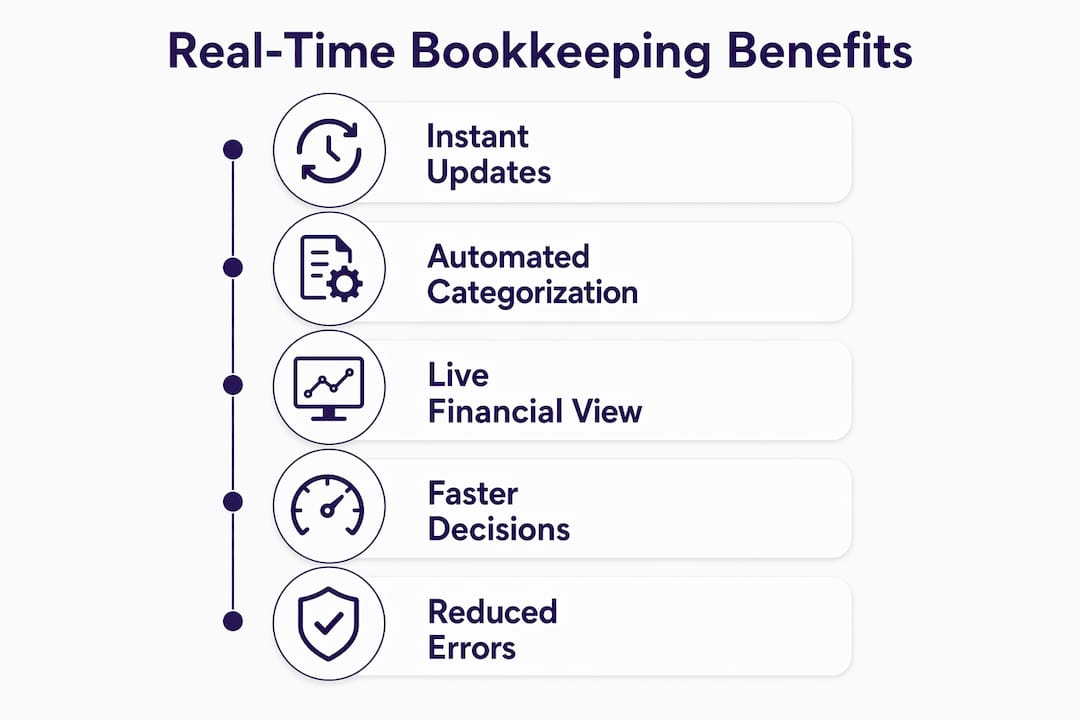
The advantages of real-time financial tracking go well beyond convenience. They directly affect your ability to survive and grow.
Cash flow visibility. Real-time bookkeeping identifies cash shortfalls weeks before they become crises, enabling proactive budgeting instead of reactive scrambling. You can see exactly how much cash you will have in 30 days based on current receivables and known expenses.
Lower error rates. Recording transactions as they occur reduces errors compared to batch processing, because context is fresh and supporting documents are attached immediately rather than reconstructed weeks later.
Faster tax preparation. Continuous reconciliation keeps your files audit-ready year-round. When tax season arrives, your accountant is not spending hours untangling months of missing receipts and uncategorized expenses.
Stronger collaboration. Professional bookkeepers leveraging real-time data shift from data processors to financial partners, delivering insights rather than just reports. Your bookkeeper can flag an unusual expense spike or a receivables aging problem before you even notice it.
Better decisions, faster. When your numbers are current, you can act on them. Hiring decisions, vendor negotiations, and investment calls all improve when based on today’s data rather than last month’s.
The shift from reactive to proactive financial management is the defining benefit of real-time accounting services. Businesses that know their numbers daily make fewer expensive mistakes than those that find out monthly.
Switching to real-time bookkeeping is not plug-and-play. Understanding the obstacles ahead of time saves you from frustration and wasted setup time.
Manage your expectations about “real-time.” Most systems achieve a latency of 24 to 48 hours rather than true instant updates. This is realistic and sufficient for small business KPIs and compliance needs. Do not let vendors oversell you on “instant” bookkeeping without asking what the actual sync frequency is.
Solve the orphan transaction problem. Bank feeds import transaction amounts without supporting documents. Platforms like Dext or Hubdoc attach receipts and bills to transactions automatically, preventing the common issue of bank data that has no supporting documentation. Without this, your books look clean but cannot survive an audit.
Build exception management into your workflow. Automation handles routine transactions well, but unusual items, split expenses, and new vendors require human judgment. Successful real-time bookkeeping systems enforce daily or weekly bank reconciliation and maintain an exception queue that gets reviewed on a fixed schedule. Skipping this step lets errors accumulate silently.
Automate tax code assignment from the start. Automated coding of invoices with correct tax codes and alerts before due dates reduce compliance risks significantly. Configure your accounting platform to assign the right tax treatment to each expense category before you process your first transaction, not after.
Plan for a transition period. Moving from spreadsheets or desktop software to a cloud-based real-time system takes two to four weeks of setup, data migration, and rule configuration. Budget time for this. Running parallel systems for one month before fully switching reduces the risk of gaps in your records.
Pro Tip: Assign one person, whether internal or your bookkeeper, to own the exception queue. Shared responsibility means no one reviews it. Clear ownership means it gets done every week without a reminder.
The right software depends on your transaction volume, industry, and how much you want to manage yourself versus outsource. Here are the features that matter most for small businesses.
Features to prioritize:
Automated bank feeds with connections to your specific bank and payment processors
OCR receipt capture, either built-in or through an integration like Dext or Hubdoc
Live dashboard reporting with cash flow, profit and loss, and accounts receivable aging
Exception management tools that flag uncategorized or unusual transactions
Payroll integration if you run payroll through the same platform
Scalable pricing that does not penalize you for growing
| Platform | Best for | Bank feeds | OCR capture | Dashboard reporting |
|---|---|---|---|---|
| QuickBooks Online | Most small businesses | Yes | Via Dext integration | Yes, customizable |
| Xero | Growing businesses, multi-currency | Yes | Via Hubdoc (included) | Yes, real-time |
| FreshBooks | Service businesses, freelancers | Yes | Limited, basic | Yes, simplified |
| Wave | Micro-businesses, budget-conscious | Yes | No native OCR | Basic |
Vendor support matters as much as features. A platform with strong onboarding resources and responsive customer service reduces the time it takes to get your system running accurately. Ask vendors specifically about their bank connection reliability, because a feed that drops every few weeks defeats the purpose of continuous accounting.
Scalability is the factor most small business owners underestimate. A platform that works well at $500,000 in annual revenue may become limiting at $2 million. Choose software that can grow with you, or plan to migrate when you hit specific thresholds.
The practical impact of understanding real-time financial reporting shows up in the decisions you make every week.
Real-time dashboards provide KPIs like cash trends, burn rate, and accounts receivable aging, refreshing every few minutes to an hour. This means you are not guessing when you decide whether to take on a new project, hire a contractor, or delay a vendor payment. You are deciding based on current facts.
Consider a few concrete examples of decisions that improve with real-time data:
Hiring. You can see whether your current cash runway supports a new salary before you make an offer, not after you have already committed.
Supplier negotiations. When you know your payables aging in real time, you can identify which vendors you consistently pay early and negotiate early payment discounts.
Tax planning. Faster month-end closing and continuous reconciliation reduce financial stress during tax season and allow your accountant to make proactive tax-saving moves before the year ends, not after.
Revenue forecasting. Watching receivables age in real time tells you which clients pay slowly, letting you adjust payment terms or follow up earlier.
The shift this creates is from reactive to proactive management. Most small business owners find out about financial problems after they have already happened. Real-time bookkeeping gives you enough lead time to respond before a shortfall becomes a crisis.
Real-time bookkeeping works because it combines automated data feeds, continuous reconciliation, and human oversight to keep your financial records accurate and current within 24 to 48 hours.
| Point | Details |
|---|---|
| Continuous data feeds are the foundation | Bank feeds, payment gateways, and OCR tools pull transaction data automatically, reducing manual entry. |
| Latency is 24 to 48 hours, not instant | Realistic sync speeds are sufficient for small business KPIs and compliance without requiring true real-time processing. |
| Exception management prevents silent errors | Assign one person to review uncategorized transactions weekly to maintain data accuracy and audit readiness. |
| Document integration prevents orphan transactions | Tools like Dext or Hubdoc attach receipts to transactions automatically, keeping books audit-ready at all times. |
| Real-time data enables proactive decisions | Cash flow visibility, receivables aging, and burn rate dashboards let you act before problems become crises. |
The business owners I see struggle most with cash flow are not the ones who lack revenue. They are the ones who find out about problems too late to fix them. A client discovers in mid-November that their receivables have been aging badly since August. Another finds out in January that they owe a tax bill they could have planned for in October. Both situations are avoidable with current books.
The misconception I hear most often is that real-time bookkeeping is expensive or complicated, and therefore only for larger businesses. That is not accurate. Cloud platforms like Xero and QuickBooks Online have made continuous accounting accessible at price points that fit even a solo operator. The real barrier is not cost. It is the habit of treating bookkeeping as a once-a-month task rather than an ongoing process.
My honest advice: start with one integration. Connect your primary bank account to your accounting platform, set up five automation rules for your most common expenses, and review your dashboard once a week. That single habit change will give you more financial clarity than any spreadsheet you have ever built. Scale from there. Add OCR capture, then payroll integration, then a dedicated bookkeeper to manage exceptions. The system grows with you.
The biggest shift is not technical. It is the mindset change from “I’ll look at the numbers at month-end” to “I know my numbers today.” That shift is what separates business owners who feel in control of their finances from those who are always reacting to surprises.
— TaxBowl
Taxbowl delivers real-time bookkeeping services built specifically for startups and small businesses that need financial clarity without the complexity of managing it themselves. The Taxbowl team combines a dedicated group of accountants with live financial dashboards and direct communication through platforms like Slack, so you get answers when you need them, not at the next scheduled call. Taxbowl clients see an average of $53,399 in tracked outstanding receivables, giving owners a clear picture of cash that is owed and when to expect it. If you are ready to move from reactive bookkeeping to a system that works for you every day, Taxbowl is built for exactly that.
Real-time bookkeeping is the continuous recording and updating of financial transactions as they occur, using automated bank feeds, OCR tools, and cloud accounting platforms to keep books current within 24 to 48 hours.
Traditional bookkeeping batches transactions weekly or monthly, while real-time bookkeeping processes data daily through automated integrations, reducing errors and giving business owners current financial visibility at all times.
Popular platforms include QuickBooks Online, Xero, and FreshBooks, often paired with document capture tools like Dext or Hubdoc to attach receipts and bills to transactions automatically.
Most systems achieve a data sync latency of 24 to 48 hours, which is realistic and sufficient for small business financial management and compliance needs.
The primary benefits include early cash flow shortfall detection, lower error rates compared to batch processing, faster tax preparation, and the ability to make financial decisions based on current data rather than last month’s reports.