
Back to blog
Best small business accounting software in 2026
Find the best small business accounting software for 2026. QuickBooks Online leads for general use; compare invoicing, reporting and bookkeeping fit.

Find the best small business accounting software for 2026. QuickBooks Online leads for general use; compare invoicing, reporting and bookkeeping fit.
Best overall: QuickBooks Online. Best for client invoicing: FreshBooks. Best for businesses already using Zoho apps: Zoho Books. The best small business accounting software in 2026 is the one you can keep accurate each month—not the one with the longest feature list.
Accounting software records transactions. It does not decide whether an expense belongs in the right account, chase down a missing receipt or explain why your cash balance and profit tell different stories. If you are tired of sorting that out after a deadline, TaxBowl offers outsourced bookkeeping, tax preparation and CFO advisory services rather than software.
For software shoppers, the decision is narrower: choose a tool that matches how you get paid, how you track spending and who will maintain the books. A startup sending client invoices faces a different workload from a business that needs regular reporting across its operations. This guide compares five software options by use case, then shows when a service is the better next move.
Use these criteria before comparing names. A feature is useful only if it helps you produce books you can check and act on.
Review 12 months of transaction types when you map what your business needs. You do not have to enter a year of data into every option; you do need to know whether recurring bills, client payments and unusual expenses will have a clear home.
| Software | Best for | Standout feature | Key limitation |
|---|---|---|---|
| QuickBooks Online | A general-purpose small business setup | Broad bookkeeping and reporting workflow | Setup choices still require review |
| FreshBooks | Businesses focused on client invoicing | Invoice-led workflow | Less natural as a starting point for complex reporting needs |
| Zoho Books | Businesses already using Zoho apps | Fit within a Zoho-based workflow | Less compelling if you do not use that workflow |
| Xero | Teams sharing bookkeeping work | Shared access to accounting records | Handoffs still need clear ownership |
| Wave | Businesses with straightforward books | Basic invoicing and accounting workflow | A narrower fit for growing reporting needs |
Each pick has a distinct job. Do not choose QuickBooks Online because it appears first if your main problem is sending and tracking client invoices. Do not choose an invoice-led tool if the reports behind your decisions matter more than invoice creation.
QuickBooks Online is the default pick when your business needs one place to organize income, expenses and financial reports. It covers the core bookkeeping workflow without making client invoicing or a particular business app ecosystem the whole reason to choose it. Best for: an owner who wants a general-purpose system and has someone responsible for keeping it accurate.
QuickBooks Online pros:
QuickBooks Online cons:
Before you commit, take 30 minutes to identify who will review uncategorized activity and who will sign off on the monthly reports. If neither job has an owner, a general-purpose tool will give you more places for errors to sit unnoticed.
Verdict: Buy if your books need an all-around system and you will maintain it. Hold if nobody is responsible for the monthly review.
FreshBooks puts invoicing at the center of the workflow. It suits a business that bills clients and needs a clear path from sending an invoice to recording payment. Best for: owners whose immediate accounting problem is organizing client billing.
FreshBooks pros:
FreshBooks cons:
Test the invoices you actually send: a new client invoice, a payment that arrives later and a balance that remains outstanding. Then inspect the resulting reports. An easy invoice is only part of the job if you cannot explain where that payment lands in the books.
Verdict: Buy if client invoicing drives your accounting workload. Hold if your main need is deeper monthly reporting.
Zoho Books is a practical contender when Zoho apps already support other parts of your business. The reason to consider it is workflow fit: your accounting system should sit alongside the tools your team uses without creating another disconnected process. Best for: a business already working in the Zoho ecosystem.
Zoho Books pros:
Zoho Books cons:
Map your current workflow before deciding. Name the data that starts outside accounting, who checks it when it arrives and which report the owner reads at month-end. If you cannot describe that path, an app connection alone is not a reason to move your books.
Verdict: Buy if Zoho is already part of how you operate and the accounting workflow fits. Hold if you are choosing it only for a possible future integration.
Xero gives a business another full accounting system to consider when several people need to work from the same financial records. Its value depends on a clear division of work: access helps only when each person knows what they own. Best for: a team coordinating bookkeeping with an owner and an outside accountant or bookkeeper.
Xero pros:
Xero cons:
Write down the handoff before you evaluate the screen. Who enters bills? Who matches bank activity? Who reviews the final reports? If the answers differ from what your team does now, agree on the process before changing software.
Verdict: Buy if shared ownership of the books is clear and Xero fits the handoff. Hold if a software switch is standing in for a missing process.
Wave is a candidate when your business needs a simpler invoicing and accounting workflow. It belongs on the shortlist if your transactions are easy to classify and your reporting needs are limited. Best for: an owner with straightforward books who wants to avoid choosing a broader system than the work requires.
Wave pros:
Wave cons:
Run a typical month through your checklist: money in, money out, outstanding invoices and the reports you read. If the workflow is clear, you have a viable shortlist candidate. If you immediately need workarounds, do not choose simplicity on the first screen and pay for it in cleanup work later.
Verdict: Buy for straightforward bookkeeping that fits its workflow. Skip if your reporting needs already exceed that use case.
The 2026 ranking gives first place to the option that fits the broadest bookkeeping job, then separates the remaining tools by a specific reason to choose them. It is not a claim that one product does every task better. QuickBooks Online leads for a general setup; FreshBooks leads when invoices drive the work; Zoho Books, Xero and Wave each serve a narrower workflow.
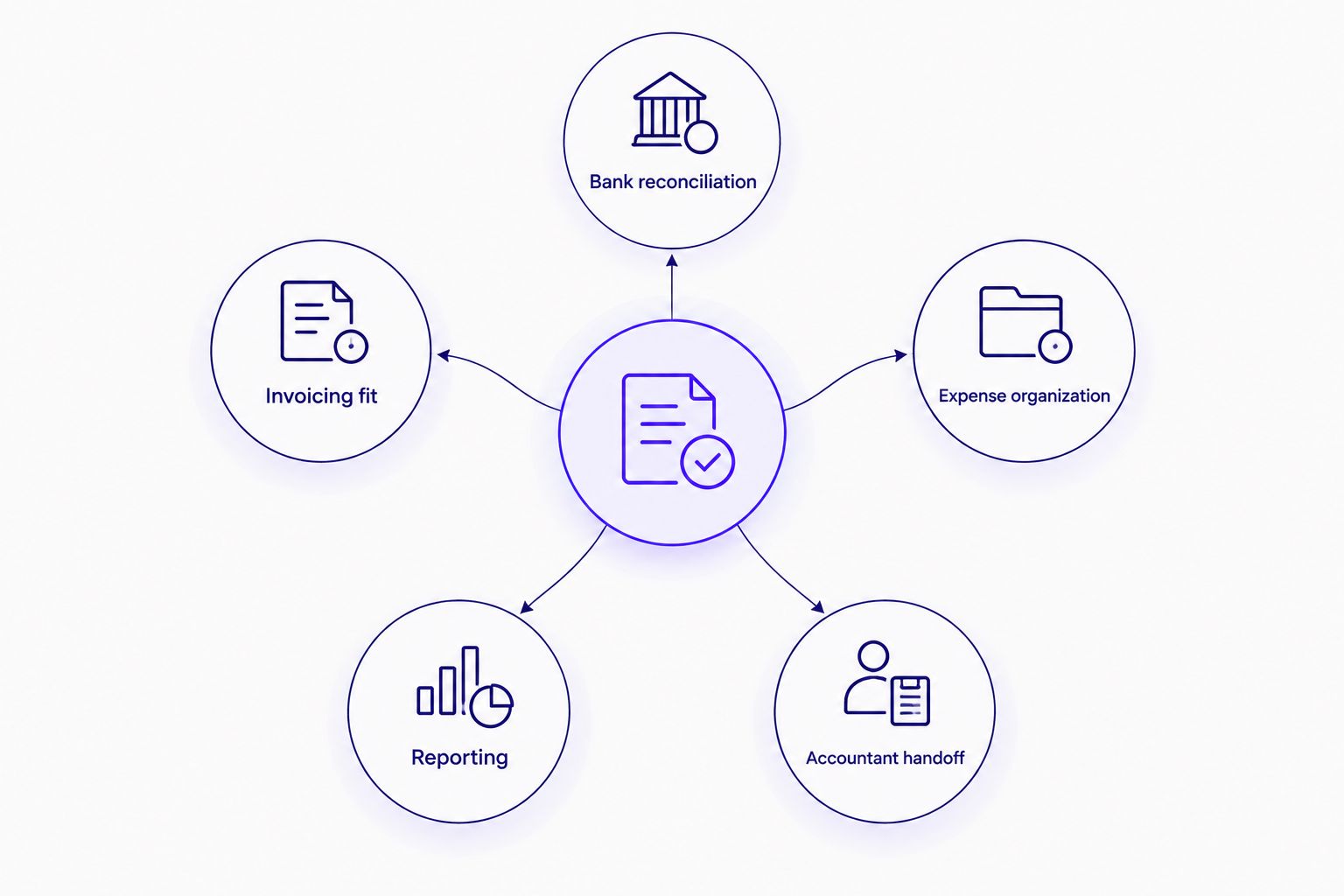
The criteria are practical: transaction review, invoicing, reporting, accountant handoff and monthly upkeep. Apply them to your own books before making a switch. If your current software can handle those jobs but the books are still behind, replacing the tool is not the first fix.
Accounting software is a system for doing the work; it is not the person accountable for finishing it. TaxBowl provides outsourced bookkeeping, tax preparation and CFO advisory services for startups and small and medium-sized businesses in the US. That is a different choice from buying accounting software, and it fits owners who need the books maintained and explained.
TaxBowl is best for owners who need a bookkeeping service and financial guidance, not another accounting software login. The trade-off is equally clear: hiring a service is not the answer if you simply need to send invoices and are ready to keep the books yourself. Decide which problem you have before comparing another feature list.
Choose QuickBooks Online by default in 2026 if you need a general-purpose accounting system and will review the books each month. Choose FreshBooks when client invoicing is the main workflow, Zoho Books when Zoho apps are already central to your operations, Xero when shared bookkeeping responsibilities are defined or Wave when your books are straightforward.
For a final check, ask the person preparing your taxes which records they need at year-end. Then make sure your chosen workflow produces them. If the software already does that but the records are late or unreliable, address ownership of the work instead of starting another migration.
What is the best small business accounting software in 2026?
QuickBooks Online is the best general-purpose pick in 2026. Choose a different tool when a specific workflow, such as client invoicing or an existing Zoho setup, is the stronger priority.
Is FreshBooks better than QuickBooks Online for a small business?
FreshBooks is the better fit when client invoicing drives your work. QuickBooks Online is the broader default when you need a general bookkeeping and reporting setup.
Should I choose Xero or QuickBooks Online?
Choose Xero if its shared workflow fits the people maintaining your books. Choose QuickBooks Online when you want a general-purpose starting point and do not have a stronger workflow reason to switch.
Is Wave enough for a small business?
Wave fits straightforward invoicing and bookkeeping needs. Check your reporting and accountant handoff before choosing it for a business with more involved books.
Does accounting software replace a bookkeeper?
No. Accounting software stores transactions and produces reports, while a bookkeeper reviews and maintains the records that feed them.
What should I check before switching accounting software?
Check bank reconciliation, invoice handling, expense categories, reports and your accountant handoff. Assign responsibility for the monthly review before moving records.
When should I use an outsourced bookkeeping service instead?
Use an outsourced bookkeeping service when the missing piece is consistent upkeep rather than a software feature. TaxBowl provides bookkeeping alongside tax preparation and CFO advisory services.
The most useful software test in 2026 is not how quickly you can create an invoice. It is whether you can open a completed month, explain an unexpected figure and identify who will correct it. If that answer is unclear, fix the workflow before you change tools.
IRS recordkeeping guidance allows a system suited to the business that clearly shows income and expenses. During a software trial, post one invoice, one receipt, and one correction; confirm you can trace the report back to the source and export the records. This is a workflow test, not an IRS endorsement of any product.